Self Service Terminals
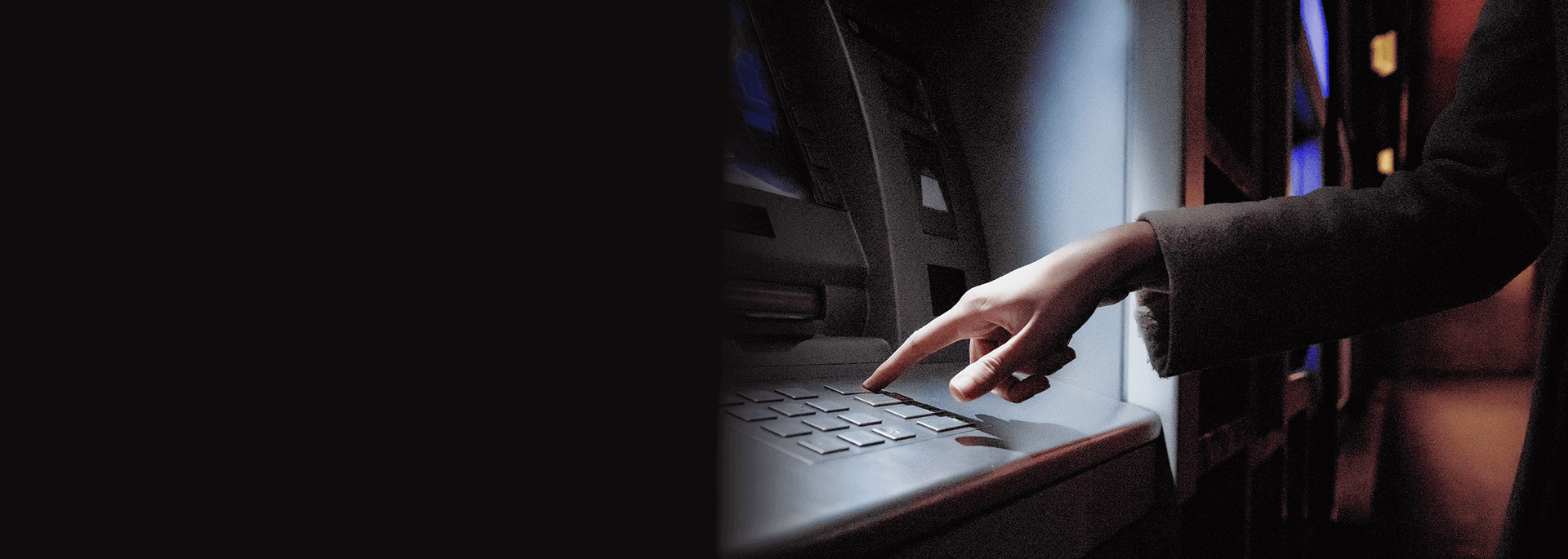
Tap on Shoulder Scam
The "Tap on Shoulder Scam" is a tactic for distracting a customer who is just about to retrieve his/her ATM card from the ATM and swapping the victim’s card with another similar card. The suspects would normally work in a group of 2 or 3 people, with 1 of them observing and memorizing the ATM PIN keyed in by the unsuspecting victim. The victim’s card will later be used to withdraw money from his/her accounts.
How it Works
- Suspect will tap the victim on the shoulder and say that he or she has dropped some money on the floor.
- As the victim gets distracted and turns around or bends down to pick up the money on the floor, the suspect or an accomplice would quickly swap the victim's ATM card with a similar looking card.
- The unsuspecting victim will then collect his/her card and cash from the ATM without realizing that his/her ATM card has been swapped. The suspect will then use the victim’s ATM card to withdraw money from his/her account.
- Victims may only become aware of their losses after checking their bank accounts or ATM cards.
As a preventive measure, we urge all customers to take extra precautions when performing transactions at ATMs, and to NEVER get distracted by a call or tap on your shoulder. In the event that you've been approached in a similar fashion, please stop your transaction and immediately alert the branch security/staff or contact the police for assistance.
Security Updates: New ATM Withdrawal Limit Tiers (Effective 30 November 2026)
To better protect your account against scams and fraud, a tiered daily ATM Withdrawal Limit will take effect on 30 November 2026 for the first 90 days with us, as outlined below:
| Account Duration | Maximum Daily Withdrawal Limit (RM) |
|---|---|
| First 30 days | RM 2,000 |
| 31 days to 90 days | RM 5,000 |
| 91 days and above | RM 10,000 |
Note: This change does not apply to customers who updated their ATM Withdrawal Limit prior to 30 November 2026.
You can view your current daily limit anytime on HLB Connect App or HLB Connect Online.
If you need to withdraw an amount exceeding your daily ATM Withdrawal Limit, please visit your nearest HLB or HLB Islamic branch for over-the-counter assistance.
How to view your maximum allowed limit
Via HLB Connect App:
-
Log in to your app.
-
Select your Current / Savings Account.
-
Tap the 'Services' tab, then select 'Debit Card Settings and Limits'.
-
Your available limit will be displayed under ATM Withdrawal.
Via HLB Connect Online (Web):
-
Log in at www.hlb.com.my.
-
Click on 'Other Services'.
-
Under 'Debit/ATM Card', select 'Card Transaction Limit'.
-
Your available limit will be displayed under ATM Withdrawal.
Balance Inquiry for:
- Savings Account
- Current Account
- Loan Account
- Credit Card (including balance)
Fund Transfers
- To own accounts or 3rd party accounts in HLBB
- The Maximum daily transfer limit for both Instant Transfer and Interbank GIRO (IBG) is RM5,000* for HLB Debit Card Customers.
*With effect from 16 June 2025. To enjoy the revised limit, Customers will have to select 'Change Limit' from the 'Transfer Limit' option on the ATM screen
Payment
- Credit Card Payment
- Loan / Financing Payment (Hire Purchase, Mortgage and Personal Loan)
- Bill Payment with JomPAY
Steps to perform Instant Transfer and Interbank GIRO (IBG):
|
Instant Transfer |
Interbank GIRO (IBG) |
|---|---|
|
Step 1: Select “Fund Transfer (To Other Bank)” Step 2: Select “Instant Transfer” Step 3: Select your “Recipient Account Type” Step 4: Select “Recipient Bank” Step 5: Enter Recipient Account Number Step 6: Enter Transfer Amount Step 7: Enter Recipient Reference (Optional) Step 8: Confirm the recipient details. Step 9: Press “Confirm” to complete the transaction |
Step 1: Select “Fund Transfer (To Other Bank)” Step 2: Select “Interbank GIRO (IBG)” Step 3: Select your “Recipient Account Type” Step 4: Select “Recipient Bank” Step 5: Enter Recipient Account Number Step 6: Enter Transfer Amount Step 7: Enter Recipient Reference (Optional) Step 8: Enter Recipient ID (Optional) Step 9: Confirm the recipient details. Step 10: Press “Confirm” to complete the transaction |
IBG Funds Transfer to Current and Savings Account:
| Transfer Day | Transfer Time | Funds Availability** | |
|---|---|---|---|
| Monday to Friday
(Business Days) |
5:01am to 8:00am | Same Business Day | By 2:00pm |
| 8:01am to 11:00am | By 5:00 pm | ||
| 11:01am to 2:00pm | By 8:20pm | ||
| 2:01pm to 5:00pm | By 11:00pm | ||
| After 5:00pm | Next Business Day | By 11:00am | |
| Saturday, Sunday and Federal Territory Public Holidays
(Non-Business Days) |
Anytime | Next Business Day | By 11:00am |
IBG Funds Transfer to Credit Card and Loan Account:
| Transfer Day | Transfer Time | Funds Availability** | |
|---|---|---|---|
| Monday to Friday
(Business Days) |
5:01am to 5:00pm | Same Business Day | Before 12:00am |
| After 5:00pm | Next Business Day | Before 12:00am | |
| Saturday, Sunday and Federal Territory Public Holidays
(Non-Business Days) |
Anytime | Next Business Day | Before 12:00am |
**Under normal circumstances
- For unsuccessful IBG Fund Transfer initiated by 11:00am, the sender will receive the returned funds on the Same Business Day by 11:00pm under normal Circumstances
- For unsuccessful IBG Fund Transfer initiated after 11:00am and Non-Business Days, the sender will receive the returned funds on the Next Business Day by 11:00am under normal circumstances.
Hong Leong Cross Border ATM Services provides you with the convenience of withdrawing cash from your Hong Leong current or savings account at participating banks' ATMs in Indonesia, Korea and Thailand.
The total charges are more competitive compared to Credit Card Cash Advances at such ATMs.
How To Activate
Hong Leong Bank ATM Cardholders can activate their cards for this service at any Hong Leong Bank ATMs nationwide including KLIA and LCCT before traveling.
- Insert ATM Card, choose your language and enter your ATM PIN
- Select "More" at Main Menu
- Select "Debit Card Service Activation/De-Activation"
- Select "Oversea ATM Withdrawal"
- Select "Activate"
- Press "Confirm"
- Retrieve ATM card
*You can also activate this service via Hong Leong Connect.
- Just click here to login
Select 'Other Services' -> Select 'Change Overseas Withdrawal & Debit Card Settings'
List Of Participating Banks
RINTIS
- Bank of Central Asia (BCA)
- Bank Mayapada
- Bank Mega
ITMX
- Bangkok Bank Limited (BBL)
- Kasikorn Bank Limited (KBNK)
- Krung Thai Bank (KTB)
- Thai Military Bank (TMB)
- Siam City Bank (SCIB)
- UOB
KFTC
- Citibank Korea
Q: What are the key benefits of Hong Leong Cross Border ATM Services?
A: - Hong Leong Cross Border ATM Services provides you with the convenience of withdrawing cash from your Hong Leong current or savings account at participating banks’ ATMs in Indonesia, Korea and Thailand.
- The total charges are more competitive compared to Credit Card Cash Advances at such ATMs.
Q: How does one apply to use Hong Leong Cross Border ATM Services?
A: - It’s simple. Apply for a Hong Leong ATM card at any Hong Leong Bank branch if you do not already have one.
- Remember to activate the service at any Hong Leong Bank ATM before you travel abroad.
Q: What are the steps required to activate the ATM card?
A:
Activation via ATM:
1) Go to nearest Hong Leong Bank ATM
2) Insert ATM Card, choose your language and enter your ATM PIN
3) Select "More" at Main Menu
4) Select "Debit Card Service Activation/De-Activaton"
5) Select "Oversea ATM Withdrawal"
6) Select "Activate"
7) Press "Confirm"
8) Retrieve ATM card
Activation via Hong Leong Online:
In the Hong Leong online menu, select "Other Services" and "Change Overseas Withdrawal & Debit Card Settings”. Tick the "Overseas ATM Withdrawal" and click "Next" button to activate.
Q: How long does the activation takes?
A: The service is effective immediately upon activation.
Q: Is there a need to reactivate the service subsequently once activated for the first time?
A: The service will be remain activated unless customer deactivated this service. Deactivation of the service at any Hong Leong Bank ATM is required if you intend to deactivate the mentioned service.
Q: Is there a fee incurred for using Hong Leong Cross Border ATM?
A: For every cash withdrawal transaction performed at the ATM overseas, a nominal fee of RM8-00 is charged.
Q: Can the Hong Leong ATM card be used at anywhere in the world?
A: - At present, Hong Leong ATM card can only be used at participating banks’ ATMs in Indonesia, Korea and Thailand.
- Look out for the “MEPS” logo displayed at the participating banks’ ATMs.
Q: Is Hong Leong Cross Border ATM services available in China?
A: The service will be made available at participating banks’ ATMs in China in the near future.
Q: Is the service available for incoming travelers from abroad?
A: Yes, travellers coming to Malaysia from Indonesia, Korea, Thailand and China carrying participating banks’ ATM cards from their country of origin will be able to withdraw Ringgit from any Hong Leong Bank ATM.
Deposit Cash or Make Payment to
- Savings Account
- Current Account
- Credit Card Account
- Loan Account (Hire Purchase, Mortgage and Personal Loan)
- Interbank Cash Deposit (Current Account / Saving Account, Loan Account, Credit Card)