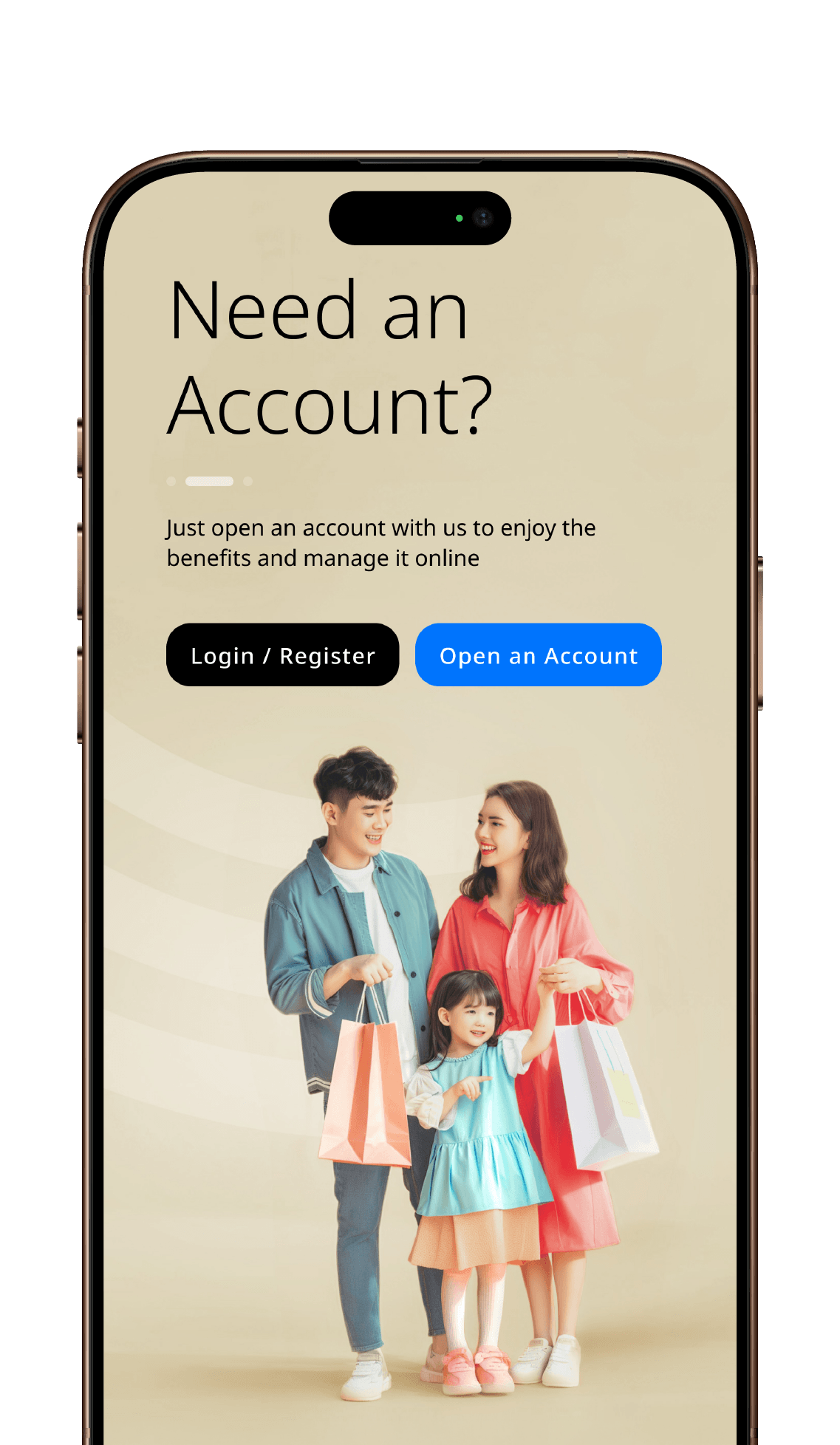
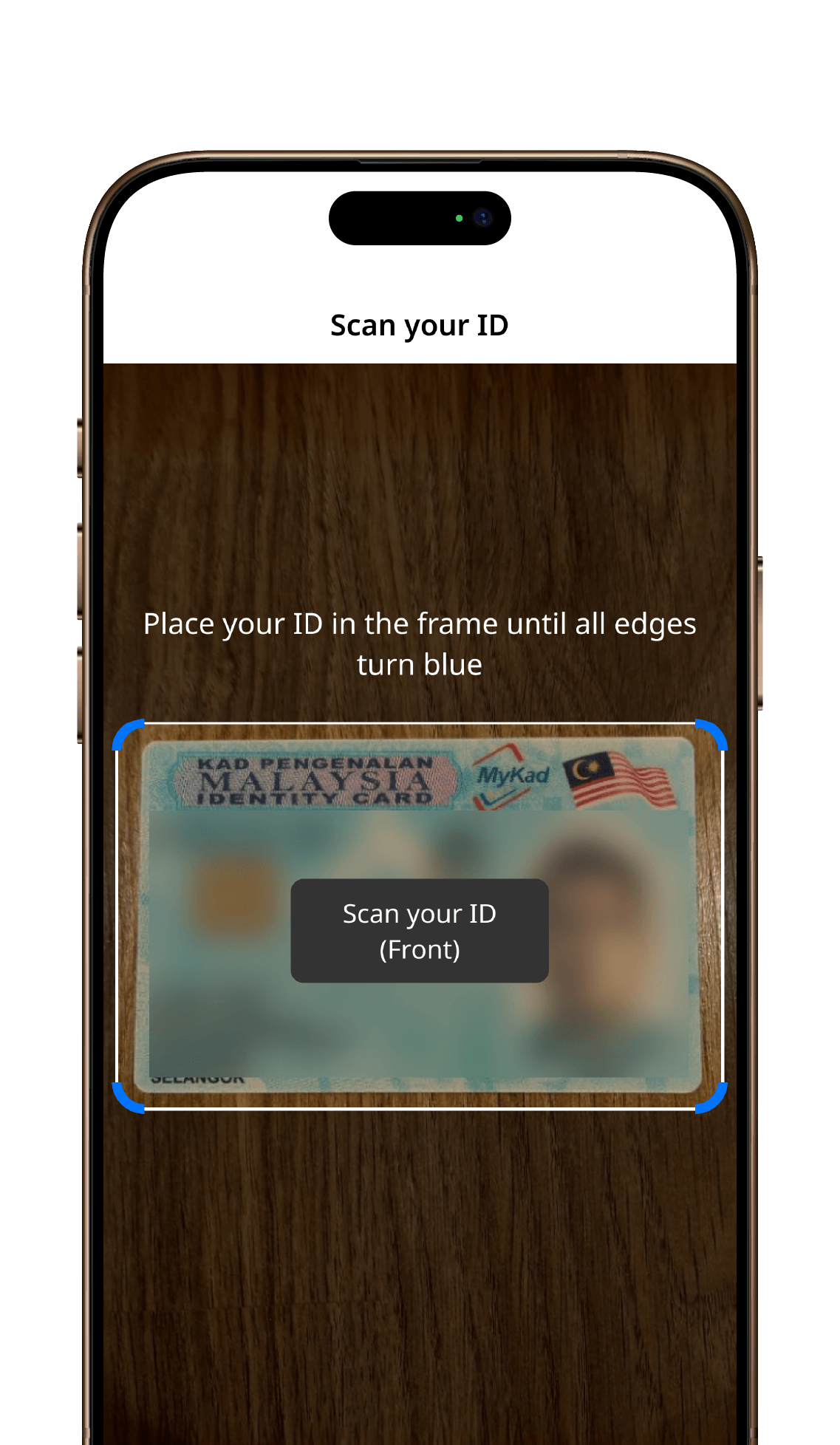
3 Simple Steps to apply
Open a sole proprietor
business account online

Apply fully online in minutes using the HLB Connect App. With zero document uploads required, just enter your business registration number for instant SSM verification.

Your deposits are secure and protected by PIDM up to RM250,000 for each depositor.
Eligibility & Application
Q1: Who is eligible to open an HLB Pay&Save Account or HLB Pay&Save Account-i (HLB Pay&Save Account/-i) online?
A1: You are eligible to open HLB Pay&Save Account/-i online using HLB Connect App, if you meet the following requirements:
- For Personal Account: Malaysian citizens with a valid NRIC, aged 18 and above.
- For Sole Proprietor Account: Sole proprietorships operating in Malaysia and registered with Suruhanjaya Syarikat Malaysia (SSM). Please note that the bank account will be registered under your official registered business name.
Q2: What documents are required for the online account opening?
A2: No physical documents or paperwork are required for the online account opening. You only need your mobile phone and HLB Connect App to scan your ID during the online account opening:
- Personal Account: The ID needed is MyKad (NRIC). You need to use the HLB Connect App installed on your mobile phone to scan your NRIC.
- Sole Proprietor Account: The ID needed is NRIC. You need to use the HLB Connect App installed on your mobile phone to scan your MyKad (NRIC) and enter your SSM Business Registration Number (BRN).
Q3: What is eKYC? Is it secure to submit my personal information via HLB Connect App during the online account opening?
A3: eKYC is a short form for Electronic Know Your Customer which is a digital identity verification process regulated by Bank Negara Malaysia. It allows the bank to offer you a fully digital account opening experience and for you to safely open a bank account 100% online without visiting a branch. To ensure maximum protection against fraud and identity theft, eKYC solution on HLB Connect App uses bank-grade AI security checks such as:
- Automated MyKad Inspection: The advanced technology instantly reads your MyKad details while performing automated authenticity checks to detect altered details or forged documents.
- Precision Biometric Verification: The intelligent facial matching technology compares your real-time selfie against your MyKad photo to verify that only the rightful owner can open the account.
- Real-Time Human Verification: The smart anti-spoofing protocol is to confirm that a live person is physically present during the online account opening, blocking unauthorized attempts using photos, screen playbacks, or pre-recorded devices.
- Bank Account Ownership Check: Your initial deposit via DuitNow will confirm that the funds come from a Malaysian bank account registered under your full legal name, preventing anyone else from using your identity to open an account.
Q4: Which bank accounts can I use for the initial RM50 deposit, and what is restricted?
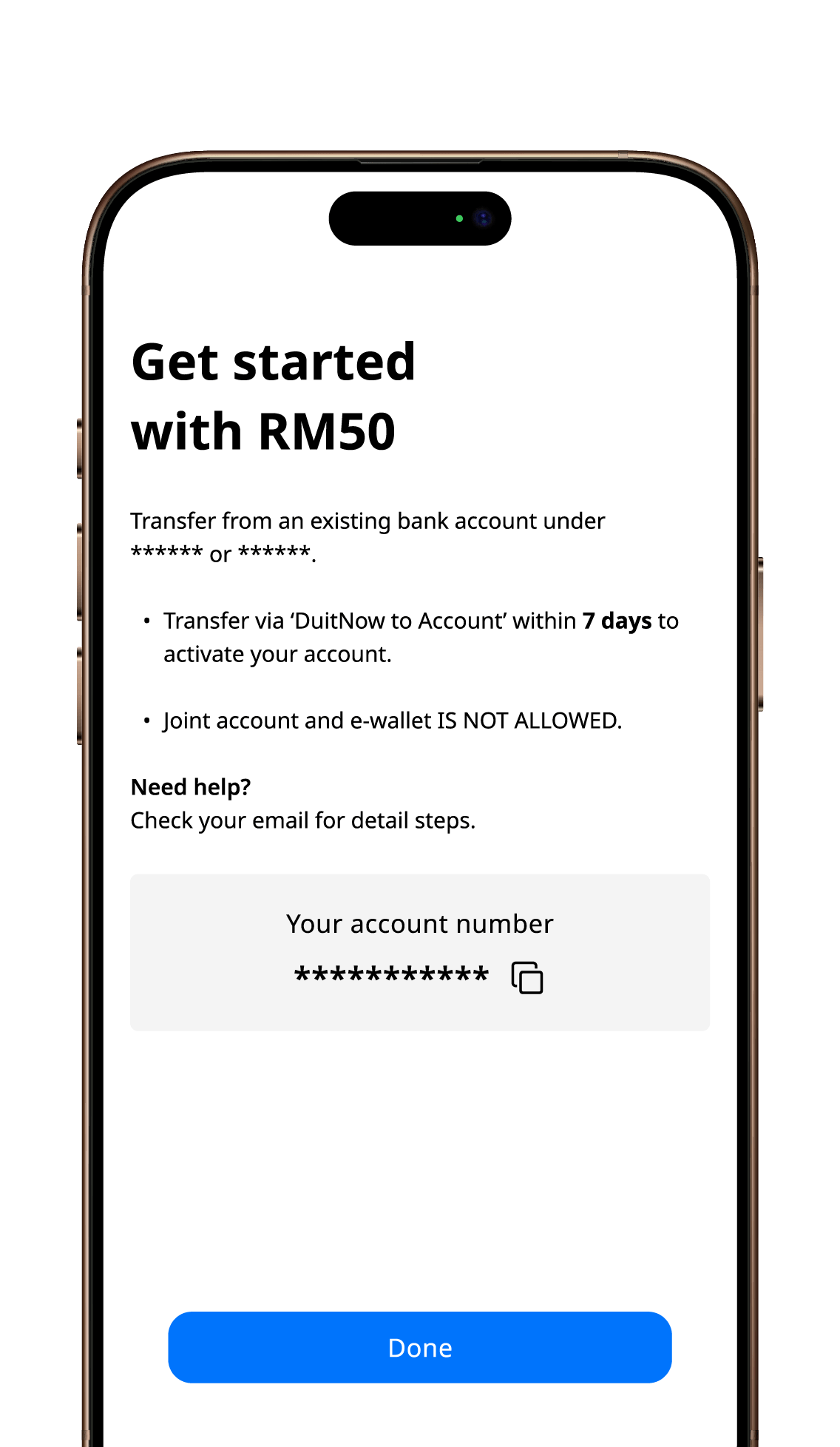
A4: To complete eKYC identity verification, your initial RM50 deposit must be an online transfer (via DuitNow) from a bank account in Malaysia.
- The online transfer must be from your account with any of the following commercial banks in Malaysia:
- Individual accounts: Maybank, CIMB, Public Bank, RHB, AmBank, Bank Islam, Alliance Bank, UOB, etc. where the account holder's name matches the online account opening
- Sole Proprietor Accounts: Maybank, CIMB, Public Bank, RHB, AmBank, Bank Islam, Alliance Bank, UOB, etc. where the account holder's name matches the personal legal name or registered business name used for the online account opening.
- Online transfer from the following accounts are not accepted:
- Joint Accounts: Bank accounts held jointly with another person, even if your name is listed on the account.
- Digital Banks: Accounts from digital-only banks like GXBank, Boost Bank, Ryt Bank, KAF Digital Bank or AEON Bank.
- e-Wallets: Touch 'n Go eWallet, GrabPay, Boost, ShopeePay, or other non-bank e-wallets.
- Third-Party Transfers: Transfers from family members, friends, employers, or third parties where the name does not match.
- Overseas Bank Accounts: Accounts at foreign banks located outside Malaysia.
Q5: Once the bank account is opened, is there a minimum balance required in order to keep the account active, or are there any maintenance fees?
A5: There are no monthly account maintenance fees. You only need to maintain a minimum balance of RM10 and perform at least 1 transaction every 12 months to keep your account active. For other general fees and charges that may apply to your account, please refer to our official Fees & Charges page.
Q6: How long does account opening processing take, and when will I receive my debit card/-i?
A6: The account opening is typically instant. The following illustrates the timeline involved:
- Submission of details and eKYC process: Takes less than 5 minutes to complete via the HLB Connect App.
- Account Opening: Opens instantly upon submission of details and completion of eKYC process.
- If Extra Verification Required: Your submission will be processed within 3 working days and you will be notified via email and SMS.
- Initial Deposit: You must make your initial deposit via online transfer within 7 calendar days after receiving the approval notification
- Debit Card/-i Delivery: After the successful initial deposit, you will receive the HLB Debit Card/-i delivered by post to your address within 14 calendar days after completing the initial deposit. The debit card/-i issuance fee is waived for accounts opened online via HLB Connect App.
Q7: Can I use my bank account or withdraw cash while waiting for my physical debit card/-i to arrive?
A7: Yes, you can start using your account via HLB Connect App after you’ve made the initial deposit. The HLB Connect username and password that were created during the online account opening can be instantly used to log in to the HLB Connect App or website. Once logged in to HLB Connect App or website, you can perform online transfers, make bill payments or QR Payments, place fixed deposit, convert currencies or even make cardless cash withdrawals at any Hong Leong Bank ATM using the Connect ATM Withdrawal feature available in the app after 12 hours cooling off period.
Account Benefits & Features
Q8: Why will you find this Pay&Save Account/-i the best personal account for you?
A8: Pay&Save Account/-i is an ideal personal account because it is packed with attractive features. You will find Pay&Save Account/-i the best personal account for you because:
- You can earn up to 3.40% p.a. interest/profit on your account balance.
- You can save and pay in MYR and up to 21 foreign currencies (12 currencies for Islamic accounts).
- You will get the HLB Debit Card/-i delivered to your doorstep with issuance fees waived.
- You can link your personal debit card/-i to Apple Pay, Google Pay, or Samsung Pay for mobile contactless payments.
- You can scan and pay across China using the UnionPay and WeiXin QR codes on the HLB Connect App with zero transaction fees.
Q9: Why will you find this Pay&Save Account/-i the best business account for your Sole Proprietorship or small business?
A9: Pay&Save Account/-i is an ideal business account for sole proprietors and small business owners because it is packed with attractive features. You will find Pay&Save Account/-i the best account for your business because:
- You can open an official business bank account registered under your official registered business name (not under your personal name).
- You can earn up to 2.25% p.a. interest/profit on your account balance.
- You can save and pay in MYR and up to 21 foreign currencies (12 currencies for Islamic accounts).
- You will receive the HLB Debit Card/-i delivered to your doorstep with issuance fees waived.
- You can link your debit card/-i to Apple Pay, Google Pay, or Samsung Pay for convenient mobile contactless payments.
- You will receive a complimentary DuitNow Starter Kit to collect payments from local customers easily.
- You can scan and pay across China using the UnionPay and WeiXin QR codes on the HLB Connect App with zero transaction fees.
Foreign Currencies & Account Limits
Q10: What are the 21 foreign currencies supported by the Conventional Pay&Save Account?
A10: The Conventional Pay&Save Account allows you to save, hold, and convert Ringgit Malaysia (MYR) plus 21 foreign currencies. These are the currencies available in the Conventional Pay&Save Account:
- Asia & Middle East currencies: SGD (Singapore Dollar), JPY (Japanese Yen), CNH (Offshore Chinese Yuan), HKD (Hong Kong Dollar), THB (Thai Baht), AED (UAE Dirham), BND (Brunei Dollar), PHP (Philippine Peso), SAR (Saudi Arabian Riyal) and BDT (Bangladeshi Taka).
- Americas & Pacific currencies: USD (US Dollar), AUD (Australian Dollar), NZD (New Zealand Dollar) and CAD (Canadian Dollar).
- Europe & Africa currencies: EUR (Euro), GBP (Pound Sterling), CHF (Swiss Franc), DKK (Danish Krone), NOK (Norwegian Krone), SEK (Swedish Krone) and ZAR (South African Rand).
Q11: What are the 12 foreign currencies supported by the Islamic Pay&Save Account-i?
A11: The Islamic Pay&Save Account-i allows you to save, hold, and convert Ringgit Malaysia (MYR) plus 12 Syariah-compliant foreign currencies. These are the currencies available in the Islamic Pay&Save Account-i:
- Asia & Middle East currencies: SGD (Singapore Dollar), JPY (Japanese Yen), CNH (Offshore Chinese Yuan), HKD (Hong Kong Dollar), THB (Thai Baht) and SAR (Saudi Arabian Riyal).
- Americas & Pacific currencies: USD (US Dollar), AUD (Australian Dollar), NZD (New Zealand Dollar) and CAD (Canadian Dollar).
- Europe & Africa currencies: EUR (Euro) and GBP (Pound Sterling).
Q12: Do I get separate account numbers for each foreign currency that I save in my Pay&Save Account/-i?
A12: No, you will not get a separate account number for each foreign currency. You maintain only one Pay&Save Account/-i number to hold, manage, and transact in Ringgit Malaysia and all the foreign currency balances available within your account.
Q13: Can I convert foreign currencies 24/7 on the HLB Connect App, or only during banking hours?
A13: You can convert and exchange foreign currency 24/7 on the HLB Connect App. However, exchange rates tend to be more competitive during official FX banking market hours.
Q14: Is there a limit on foreign currency conversion?
A14: Yes, there is a daily conversion limit of RM200,000 equivalent which applies across all foreign currency exchanges via HLB Connect. Account holders with Domestic Ringgit Borrowing are subject to Bank Negara Malaysia’s annual foreign currency limit of RM1,000,000 equivalent.
Card Usage, Overseas Travel & China Payments
Q15: Are there transaction fees when spending overseas with my HLB Debit Card/-i?
A15: There are zero transaction fees or conversion charges when you use your HLB Debit Card/-i to make payments overseas or when shopping online in foreign currency as long as you have sufficient converted balance in that specific foreign currency.
Q16: What steps should I take before traveling overseas for smooth debit card/-i transactions?
A16: For a smooth, uninterrupted transaction using HLB Debit Card/-i while overseas, you must ensure you complete these 4 steps in the HLB Connect App before your trip:
- Link your HLB Debit Card/-i with your Pay&Save Account/-i (if you have more than one bank account). Here’s how: Go to Pay&Save tile > Card > Link Debit Card.
- Ensure you have sufficient balance in your desired currency. Convert MYR to your target foreign currency via Foreign Currency Deposit feature on HLB Connect App.
- Enable Overseas Spend for your debit card. Here’s how: Go to Card > Overseas Settings > toggle ON "Overseas Retail Purchase" and "Overseas Withdrawal".
- Adjust Limits for your debit card. Here’s how: Increase your card's daily retail purchase limit if necessary.
Q17: How do I make QR payments in China with my HLB Connect App?
A17: You can make QR payments in China by scanning the UnionPay and WeiXin merchant QR codes across China using the QR Pay feature on HLB Connect App. With this method of payment, you enjoy zero transaction fee. Here’s how it works:
- Smart Currency Fallback: Your payments are automatically deducted from your saved Chinese Yuan (CNH) balance first. If your CNH balance runs low, the remaining amount will seamlessly be covered from your MYR account balance.
- Instant Payments: QR payments under RM250 require no password verification, while purchases above RM250 and up to RM3,000 will require verification via biometrics and password.
Q18: Can I also link my HLB Debit Card/-i to the Alipay app in China?
A18: Yes, you can link your physical HLB Debit Card/-i directly to the Alipay app to enjoy seamless tap-or-scan payments across millions of merchants and vendors throughout China.
Q19: What simple setup is required before using QR payments in China?
A19: Before using HLB Connect App to make QR payments in China, you will need to do this simple setup which will take less than a minute:
- Go to Manage QR Pay Settings and toggle ON UnionPay.
- Select your Pay&Save Account/-i as your primary source of funds.
- Ensure location services/geolocation are enabled on your phone when scanning the WeiXin QR codes.
Q20: Can I use foreign currency balances for QR payments in Singapore, Thailand and Indonesia via HLB Connect App?
A20: Yes, you can make QR Payments in Singapore, Thailand as well as in Indonesia and Cambodia by scanning their local cross-border QR codes using QR Pay feature on the HLB Connect App. However, QR Payments in these countries will deduct funds from your Ringgit Malaysia (MYR) balance. To spend directly from your saved SGD, THB or IDR foreign currency balances, you can pay using your physical HLB Debit Card/-i.
Q21: How do I block my debit card/-i immediately if it is lost or stolen?
A21: To immediately block your debit card/-i, you can just log into the HLB Connect App, tap the Pay&Save tile > Card > Report LOST/STOLEN. Alternatively, notify Hong Leong Bank immediately by calling 03-7626 8899.
Transfers, Cheques & Protection
Q22: Can I receive foreign currency directly into my Pay&Save Account/-i from overseas?
A22: Yes, you can receive foreign currency transfer via SWIFT telegraphic transfer using SWIFT code HLBBMYKL and your standard Pay&Save/-i MYR account number. You just have to ensure that the receiving foreign currency is activated in your HLB Connect App beforehand. Otherwise, the transfer will automatically be converted to MYR. To activate the currency, you simply need to convert some MYR into that foreign currency via HLB Connect App.
Q23: Can I deposit foreign currency cheques into my account?
A23: Yes, you can deposit USD, SGD, CAD, and EUR foreign cheques over the counter at any HLB branch directly into your foreign currency balance upon clearance. You just have to ensure that the receiving foreign currency is activated in your HLB Connect App beforehand.
Q24: Is my money protected by PIDM?
A24: Yes, Hong Leong Bank Berhad/Hong Leong Islamic Bank Berhad is a member of Perbadanan Insurans Deposit Malaysia (PIDM). Both the Pay&Save Account/-i and its Multi-Currency Feature are protected by PIDM up to RM250,000 for each depositor.
Open an
HLB/HLB Islamic
account online
Anytime, anywhere, simply download