Welcome to your opus.
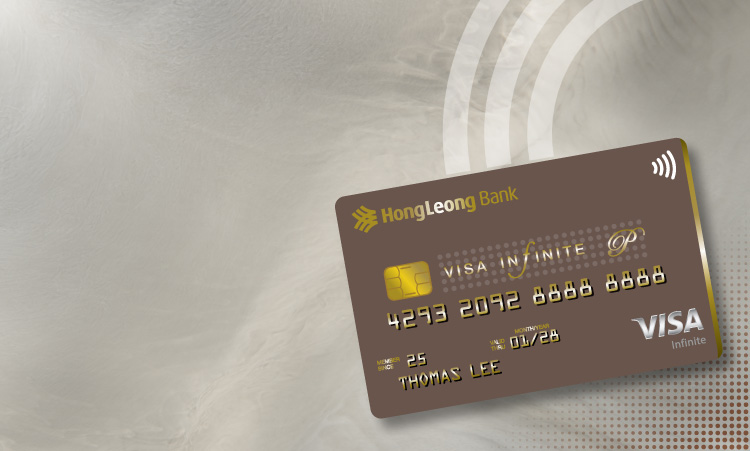
The HLB opus credit card is available by invitation only. Created for those who have achieved their opus and recognition, this is built into every opus card, from the material to the privileges.
By combining the ultra-exclusive ceramic-crafted card with unmatched access of the Visa Infinite Privilege tier, you can enjoy benefits that are perfectly in sync with your way of life.
This is your life. Your opus. From HLB.
HLB opus. Exclusively made of Ceramic°.

The first card in the region made from ceramic. But opus is no ordinary ceramic. We’ve taken it to another level with HLB Ceramic°. Extreme temperatures have crafted a ceramic which is stronger, smooth to the touch, taking the card to the nth degree. No other card in your wallet will feel like opus made of Ceramic°.
Accelerate your everyday rewards with an unmatched Enrich programme.

Get 60,000 Enrich Points when you pay the annual fee.
Earn unlimited Enrich Points.
Dining: RM1 for 1 Enrich Point
Retail Shopping: RM3 for 1 Enrich Point
Travel: RM 3 for 1 Enrich Point
Others: RM 5 for 1 Enrich Point
Earn 2.5 Enrich Points per RM1 spent in
Singapore, United Kingdom, Japan,
Thailand and South Korea.
Exclusive Elite Points.
Earn 1 Elite Point for every RM10,000 overseas
spend. T&Cs apply.
HLB opus brings you the unmatched access of the Visa Infinite Privilege tier,
it is the first card in Malaysia to offer it.
your world. your opus.

Unlimited airport lounge access at participating Plaza Premium First & Plaza Premium Lounges worldwide. (applicable for principal and supplimentary cardholders, click here for full list.)
Travel insurance coverage up to RM2 million.
24/7 Visa Digital Concierge Service.
Website and WhatsApp: (+60) 1800 805 572
Essentialist Private Travel Planning membership.
your temptation. your opus.

Dining privileges at their best with exclusive access to intimate, chef-led culinary experiences across Asia Pacific
your stay. your opus.
Essentialist Hotel benefits.
HLB opus gives you membership to ALL Accor+ Explorer Gold. 15% off public rate, 30% off dining, 15% off drinks and more.
And withBanyan Voyager. Up to 10% off online rates, 15% off spa, room upgrades and more.
And Harrods Gold. Earn points on purchases, exclusive discounts and more.
Complimentary wellness treatments.
Specialised wellness restoration at at Chenot Switzerland.
Complimentary spa treatments at Lanserhof Austria or Germany.
Eligibility, Fees & Charges
HLB Opus card is an invitation only card.
Annual fee.
RM3,000 for principal card, RM2,000 for supplementary card.
Click here for the list of fees and charges,
or visit any of our branches for further information.
T&Cs, PDS & Forms
important notes
-
Please read the Cardholder Agreement at www.hlb.com.my/cardholderagreement before using.
-
Please inform us immediately if your card is lost or stolen at 03-7626 8899.
activate your opus card now
I’m new to HLB Connect
Register for HLB Connect
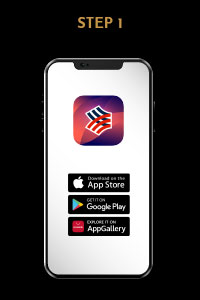
Download HLB Connect Mobile Banking App from the official app store.
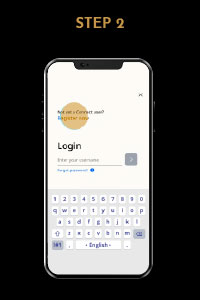
Launch the app. Tap Login/Register and Register Now.
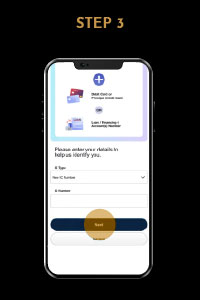
Enter your ID (NRIC/Passport Number) and tap Next.
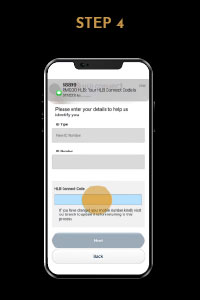
Check your SMS for a 6-digit HLB Connect Code and enter it.
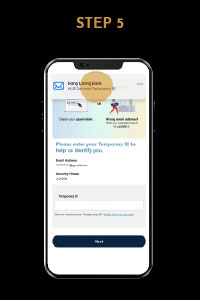
You need a Temporary ID to proceed. An email with a PDF attachment will be sent to you.
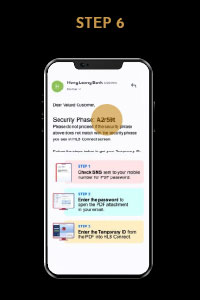
Go to your email. Ensure the Security Phrase is the same in your email and on the Connect registration screen. Follow the steps in the email for Temporary ID.
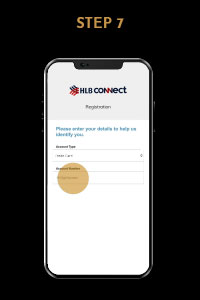
Enter your Credit Card account details in the Connect registration screen.
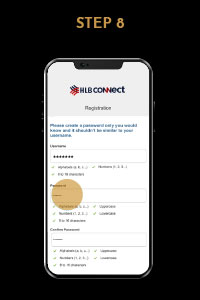
Create your Username & Password to complete the registration.
Activate through HLB Connect App
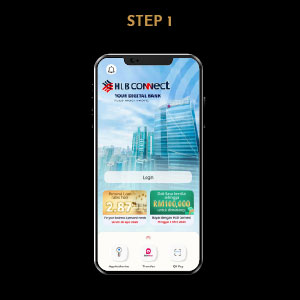
Login to HLB Connect App.
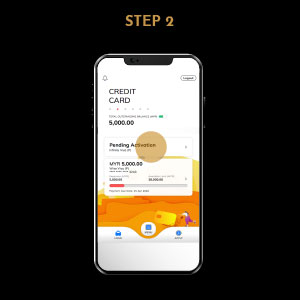
Swipe right to see your Credit Card account(s) page and click the card Pending Activation.
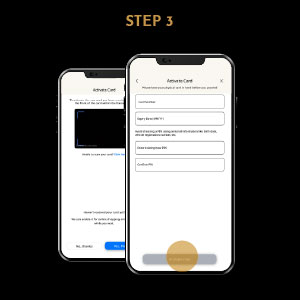
Scan the card or enter the card details and tap Activate Now.
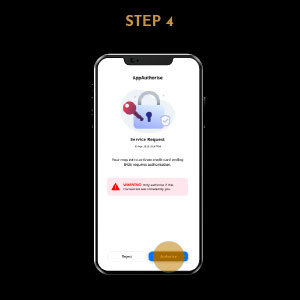
Tap Authorise.
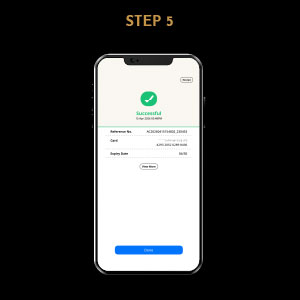
Successfully activated.
Activate through HLB Connect Online
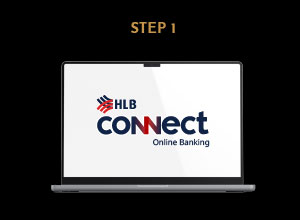
Log in to HLB Connect Online.
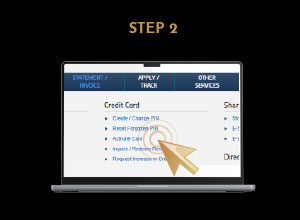
Under Other Services, go to Credit Card, select Activate Card.
Follow instructions to complete steps.
Prefer to do it over the phone? No HLB Connect account is required for this method.
-
Your NRIC / Passport Number
-
Your new Credit Card
-
Your registered mobile phone (to receive an OTP)
Before you call, please prepare:
Step 1: Call our HLB Contact Centre
Dial 03-7626 8899 and select your preferred language.
Step 2: Activate your card
Listen to the voice prompts and select the option for Credit Card, followed by Card Activation. The system will guide you to enter your ID, OTP and card details to successfully activate your card.
Step 3: Set Your PIN
Once activated, do not hang up. Return to the main menu and follow the voice prompts for Credit Card PIN, followed by Create/Change PIN to set up your permanent 6-digit PIN.
(Note: If you prefer, you can also set your PIN later by calling us back, visiting any HLB ATM or through HLB Connect).